
When the call has been answered, click the transfer option. Then choose the person you'd like to transfer to from the list.
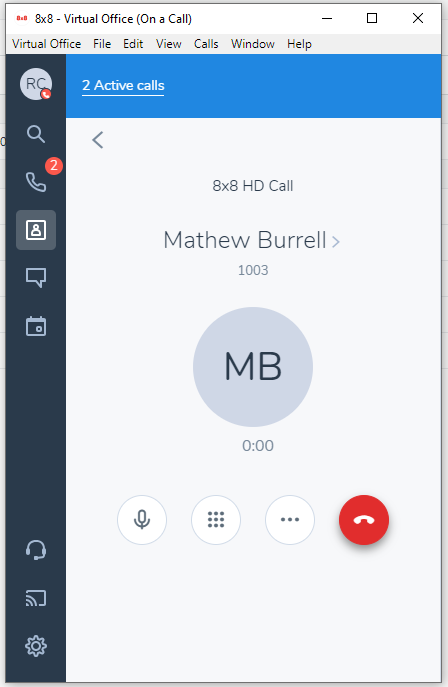
If you choose the option for warm transfer you can have a quick chat with the person you are transferring to so that they know who is on the line.
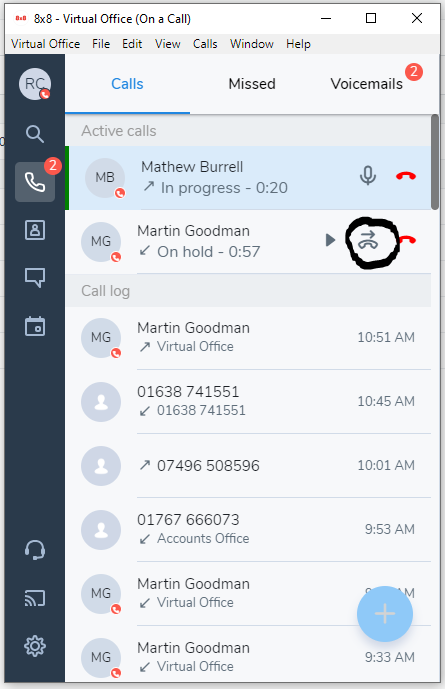
To transfer to call to them, click at the top of the app where it says "2 active calls" or click the telephone icon at the top left that shows a red number 2.
Now click the transfer button next to the original caller's name to transfer the call.
Comments
0 comments
Please sign in to leave a comment.