
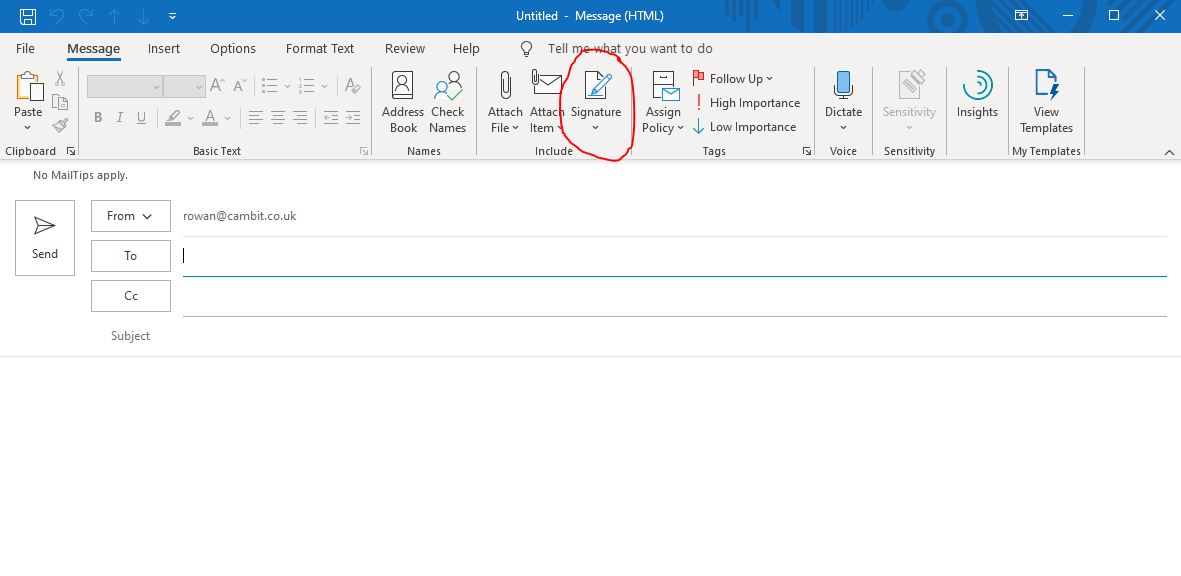
To add a signature to your emails in outlook, first open a new email and then click the dropdown beneath "Signature" and click "Signatures".
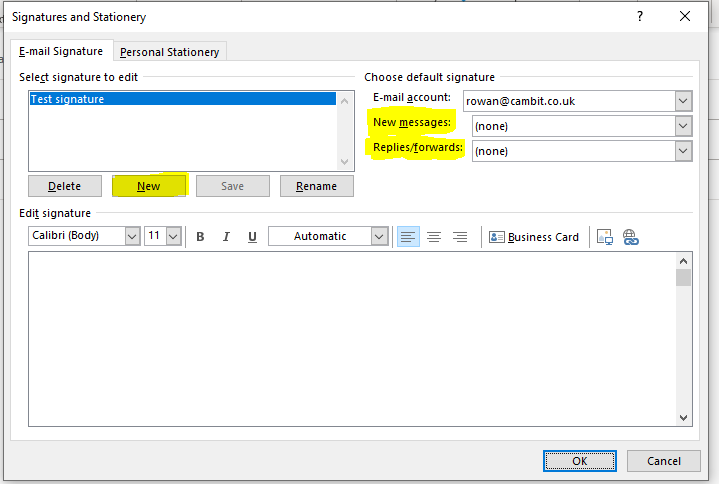
In the window that appears click "new" and give your signature a name. You can now hand type a signature or copy and paste a pre-made signature in to the space at the bottom of the window. Make sure to click the drop downs at the top right of the window next to "New message" and "Replies/forward" and ensure that your signature is selected in here otherwise your signature wont be applied to emails.
Comments
0 comments
Please sign in to leave a comment.